Begin in Checkins #
Open Checkins and use its start or continue control. Take a moment when you can answer without rushing. A check-in is a structured way to notice how things are going.
Work through the prompts #
- Choose the emotional feeling and energy level that fit your day.
- Continue through the connection, communication, trust, satisfaction, and personal wellbeing prompts shown.
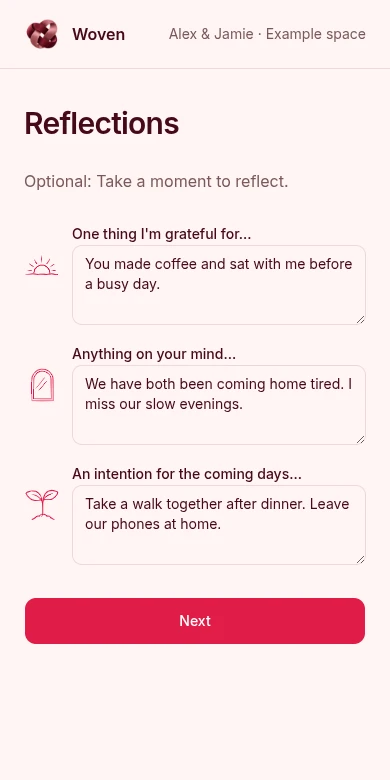
- Name a gratitude, concern, and intention in the reflection fields. Optional fields can be left blank.
- Review any weekly highlights or memory prompts and add only what you want to keep.
- Finish and wait for the save confirmation or completed state.
Keep reflections concrete #
A gratitude might be: You sat with me before a busy day. A concern might be: We both come home tired. An intention might be: Take a short walk together after dinner.
Write from your own perspective. A check-in can prepare you for a conversation; it does not replace asking your partner how they feel.
Review what saved #
Return to Checkins or your home view to review entries and insights. An entry can save before AI processing finishes. If insights are still loading, check again later rather than submitting another copy.
Use trends as context for reflection. A score is not a diagnosis or a verdict on your relationship.
If saving does not finish #
- Keep the page open while saving is pending.
- Check for validation text, a lost connection, or expired sign-in.
- Copy unfinished text somewhere private before refreshing. Do not assume drafts are recovered.
- Check whether the entry already appears in history before trying again.